
Before getting into the actual reasons, it’s better to get a clear concept about the airstone itself. As you may already know, an airstone or aeration stone is a small, porous device used in aquariums to introduce oxygen into the water by diffusing air into an aquarium. It breaks up the water into small bubbles, which hit and increase the surface area of the water and allow more oxygen to dissolve into it.
The fact is it’s normal for airstones to make some noise, for example, a gentle bubbling sound or device vibration. So, you really can’t have an airstone running without some noise regardless of the speed. But when the noise is excessive or the vibration is strong, this may indicate a problem with the air stone or the air pump. One of the main reasons behind the airstone’s loudness is the diaphragm is worn.
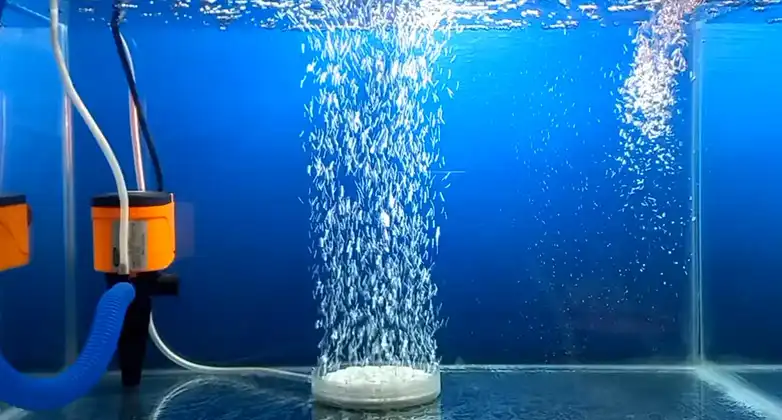
Reason for the Airstone Aquarium So Loud?
A loud airstone isn’t a thing that any aquarium owner may expect. When your airstone is loud, it’s important to check the equipment and make sure that it’s working properly. As for the fish, a moderate amount of noise and vibration isn’t harmful at all. However, if the noise and vibration are excessive, this will definitely cause stress to the fish and potentially harm them.
So, it’s better to know the reasons so that you can take necessary action accordingly. Now, we’re presenting the common reasons behind an airstone’s loudness. Have a look –
Reason 1: Air Pump Issues
The type and condition of the air pump you’re using can impact noise levels. Older or less efficient air pumps may produce more vibration and noise while trying their utmost best. On the contrary, a too-powerful air pump can cause the air stone to vibrate loudly. Consider upgrading to a quieter yet more efficient air pump. Even a worn diaphragm can also be responsible. In this case, it’s better to replace it.
Reason 2: Airstone Is Clogged
An airstone can become clogged with debris, algae, or mineral deposits over time, which restrict the flow of air bubbles. When air is forced through these obstructions, it can create a noisy sputtering or gurgling sound. Therefore, try to clean and unclog the airstone. If it’s that bad, consider replacing it.
Reason 3: Improper Placement
The placement of the airstone within the aquarium can affect noise levels. If the stone is positioned too close to the water’s surface, the escaping bubbles can create more noise when they break the surface tension. Try adjusting the depth or placement of the air stone to minimize noise.
Reason 4: Excessive Flow Rate
Excessive flow rate or air pressure can lead to a noisy airstone. You can adjust the airflow at the air pump by using a control valve or adjusting the pump’s settings to a lower flow rate that still provides adequate aeration without excess noise.
Reason 5: Excessive Airline Tubing Vibrations
Vibrations in the airline tubing can also contribute to noise. That’s why make sure that the tubing is fine and not touching the aquarium or any other hard surfaces that could amplify the vibrations. Softening the contact points with foam or rubber can help reduce noise.
Reason 6: Excessive Water Surface Agitation
If the airstone is causing excessive agitation, it can surely create more noise. Adjust the positioning of the airstone or use a valve to control the amount of air being released to achieve the desired surface movement without excessive noise.
Reason 7: Larger Air Bubbles
Smaller air bubbles tend to produce less noise than larger ones, while larger air bubbles do the opposite. If your airstone is producing large bubbles, consider using a finer-pore airstone or adjusting the air pump’s flow rate to produce smaller bubbles.
Final Verdict
As you’ve read this far, we can assume that you’ve understood the causes that are culprits to make the airstone so loud. We’ve shared all the common causes regarding this case including what you should do according to each one. You can easily do the needful as the related causes aren’t that difficult to fix. You just need to make sure that you take the action as instructed, that’s it. So, let us know if you find this post useful, and remember it’s always better to keep an eye on the noise level and adjust the settings accordingly.
Related reading: How Do I Stop My Aquarium from Turbulence, How Do I Raise Alkalinity Without Raising PH In My Aquarium? 7 Different, Can My Floor Support A 75 Gallon Aquarium.


